Problems with WordPress’ Flipping Book plugin?

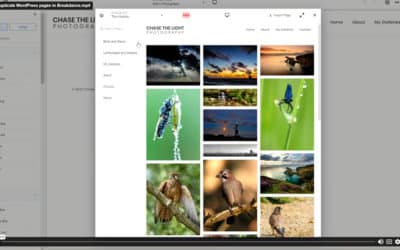
Example flipping book showing a guestbook from a holiday property rental siteI have been experimenting with the WordPress FlippingBook Gallery plugin recently as I think it could be useful to a few of my current and (hopefully) future clients. For those who aren’t aware of it, this plugin produces one of those cool effects that allow jpg and png files to be combined into an online book that has proper paging effects, such as a swishing movement when pages are turned.

Whilst these books are functionally and practically really no better than a well-designed website image gallery, and take a little putting together to make look really effective, they can be really impressive and offer website visitors something a little more interesting than the normal content. For example, they could be used to make your holiday rental property guestbook available online so that your web visitors get to see the real words written by your guests in their own handwriting (see our example on the right). Whilst this can be fiddly to put together, and time consuming to keep scanning and uploading more pages as they change, it can be an effective tool in persuading your visitors that they are real testimonials.

Have a play with the example on the right – you need to click the image then, once the book pops up, you can page through it by clicking the bottom corners of each page, or by using the navigation, or by double-clicking on the page to turn it.

We like it and can see a number of possibilities to use this to make some of our own content more appealing, as well as for our clients (e.g. brochures, newsletters etc. and anything where you want to give your customers the opportunity of saving the planet by providing an online version of your printed materials – if your website doesn’t already do this!).

We did come across a few glitches when installing, configuring and using the flippingbook plugin, the most confusing of which was having to change the file attributes of some of the images in the gallery to at least ’644′ before the book would display its contents.

What do you use it for? Can you see a use for it on your website? Get in touch and ask us to help.

0 Comments

You are handling your WordPress spam, aren’t you?

WordPress spam exampleHowever you blog, whether through WordPress or some other platform, if you accept comments you will have experienced that momentary high that comes when you realise your much loved, carefully-crafted post – the one that the World has long been waiting for – has attracted a mountain of comments. And why not? It’s a great post after all, one which draws on a lifetime of experience and which took so many hours to compose. Why shouldn’t it receive comments?

Then comes the cold slap of reality, that cold kipper round the face (see example on right).

These aren’t comments from people that have something real and insightful to say about your post. It’s SPAM – verbal diarrhea, garbage, provided by those whose only interest is in writing a completely irrelevant comment in the hope that it generates traffic and link juice for their own web page. This is usually a pointless exercise anyway – as nobody will read the comment and think “ah, that sounds interesting, I’ll just click through and find out more” and there will generally be no link juice to be gained because the page will either not be valuable enough to have any in the first place, or the site owner would have instructed search engines not to pay attention to these links (see earlier post on using nofollow on your web pages).

But – these comments can still be rather disruptive to your blog, as they will devalue your content if left in place and can be time consuming for the blog owner to keep removing manually. Akismet is a plugin that all WordPress site owners can use (free for non-commercial use) to trap spam comments and bin them before they spoil your blog. You can review the comments it traps before deleting them for good, and you can set it so that all trapped comments are automatically deleted after a month.

So if spam is still spoiling your blog, take a look at Akismet and make it a problem of the past.

0 Comments

What is your preferred web browser?

I did a quick comparison (April 2009 vs. April 2010) to see how browser usage had changed for one of my most-visited websites. Surprisingly, the percentage of visitors using Firefox had stayed very constant (24.4% in 2009 vs. 24.6% in 2010). The big shift was in the number of visitors choosing to move away from IE (down from 67.8% in 2009 to 59.5% in 2010). In a way it was to be expected given the ruling forcing Microsoft to tell its users that there were other browsers out there, but even so the magnitude of the drop surprised me a little. The big winners were Safari (up from 4.9% to 7.9%) and Chrome (up from 2.2% to 6.3%) – although as Chrome is the new kid on the block it’s perhaps not so surprising that its usage has grown. Where will it be in 2011 though?

I stick with my current web browser because...

View Results

Loading ... Loading ...

My own usage hasn’t really shifted over the past year. I have been aware of other browsers, and need to use them all in the course of my work. I still mainly use Firefox (although I’m not always sure why). I guess we all use what we’re used to, and once our browsers are set up and configured to our liking it’s often a pain to move elsewhere. After all, they are all good and bad, with some faster than others but at the expense of fewer features etc.

Take part in our poll (see right) to help us understand why people choose their browser strategy. It’s free, you don’t need to register, and we won’t capture your email address (but of course we won’t mind if you get in touch with us to discuss)!

1 Comment

Passing url parameters to a WordPress page

Have you ever tried to tweak your wordpress website in a way that requires you to pass parameters to a page? Perhaps you have tried to embed a piece of 3rd-party code into your page and found that it doesn’t work because the code requires a url parameter to have been passed to it – and the parameter seems to have vanished as the page loads?

The reason for this is that WordPress automatically strips out parameters it doesn’t recognise before it builds your pages. The solution is to trick WordPress into accepting your parameters as though they were integral to the framework. I couldn’t find an ‘official’ wordpress plugin to allow me to do this, but came across this neat solution….

http://www.webopius.com/content/137/using-custom-url-parameters-in-wordpress

You will need to edit the template file which loads the page you want to receive the parameter, and you will need to upload some code as a plugin to name the variable(s) that you want to use, but it seems to work well.

Here is the plugin code, which needs to get uploaded to your plugins folder and activated….

<?php
/* Plugin Name: Parameter
Plugin URI: http://webopius.com/
Description: A plugin to allow parameters to be passed in the URL and recognized by WordPress
Author: Adam Boyse
Version: 1.0
Author URI: http://www.webopius.com/
*/
add_filter('query_vars', 'parameter_queryvars' );
function parameter_queryvars( $qvars )
{
$qvars[] = 'yourvarname';
return $qvars;
}
?>

…and here is an example of how to use it in your template page….

global $wp_query;
if (isset($wp_query->query_vars['yourvarname']))
{
print $wp_query->query_vars['yourvarname'];
}

You need to change yourvarname to the name of the variable your page expects to receive.

0 Comments

Is your site ready for other browsers?

Web browser iconsI note with interest that Microsoft have been forced to notify all of their Windows users across Europe that there are other web browsers they can use as an alternative to the ubiquitous Internet Explorer. They will do this by popping up a window to offer users the choice of a bunch of different browsers to install.

I’m sure that most users will continue to use IE or their favourite other browser, and that in notifying them of the choice nobody is expecting a mass move away from IE, but many users will be made aware of alternatives that they didn’t previously know existed. Let’s face it, there are many browsers around, all free, all easy to install, and most with the same, or similar, functionality and add-ons, and I would expect a decent number of people to at least try out a few of these browsers. Whether they stay with them or not is another matter, but they will try them out.

So, if you operate a website or blog, what might this mean to you? Well, at the moment around 70%-80% of your website traffic is probably from IE users, but have you tried looking at your website in any of the other browsers? I come across so many sites that don’t work as they should in these ‘alternative’ browsers, so if your site is one of these you could be impacting 20%-30% of your website visitors – and this is likely to increase as more users are encouraged to try out different browsers.

Our Recommendations

I don’t want to get into a discussion about which browser is best. I use Mozilla Firefox mostly, but IE often and Safari and Google Chrome occasionally. I am a PC user, rather than Apple, and am a web developer, and so it is important for me to try my sites out to make sure they work on different browsers. Typical website visitors probably do not move browsers so frequently. As browsers are easy to install I recommend that you try out a couple of alternatives and then stick with, and get used to, what looks best to you.

If you are a website owner, you really do need to check for yourself that all pages in your site work ok in at least the top 2 or 3 browsers that bring visitors to your site. If your site worked ok a couple of years ago it might not still work ok today! If you find problems then they should be easy for you or your website developer to resolve. Remember – all of the time and money you spend on improving your website, on marketing it, and on improving its Search Engine effectiveness, may be wasted on 20%-30% of your website visitors. Improving your cross-browser support may be the best website investment you can make right now. Take a look at your website stats / Google Analytics reports to see how many of your site visitors don’t currently use IE.

BBC news item about Microsoft having to notify Windows users about web browser alternatives

How to install a new web browser

0 Comments

Using WP-POLLS for my WordPress Polls and Surveys

It’s early days for us, but we have started to dot some examples of wp-polls about the website. This is a WordPress plug-in developed by Lester Chan that allows WordPress users to easily insert multiple polls into their website. Each poll can have a question plus any number of answers. The poll owner gets to decide where to display the poll, and whether multiple answers can be selected. All active polls can be displayed, or you can choose individual ones, or even polls chosen at random, to display. each can have an expiry date or can be left to never expire. Votes cast can be displayed in a number of ways (including graphical).

Do you run Polls / Surveys on your website?

View Results

Loading ... Loading ...

Take a look at some of our other Polls – we’re trying not to go bonkers with them!

If you use other poll or survey software on your site, let us know how you are finding it.

1 Comment

A little credit for the developer

I love picking up scripts, plugins and widgets on the web that enhance the sites I am working on without my having to re-invent the wheel every time. Sure, some of them need a little tweaking to get them to do precisely what I want, but that generally means I can still provide great solutions for my clients far more cost-effectively than if the code were built from scratch.

“When a new car rolls off the production line, the component parts are never created from scratch but are parts that have been engineered for use in earlier models (and cars produced by other companies) and perhaps enhanced in some way to make the car lighter, faster, more energy efficient etc. Why should websites be any different? They too are formed from a collection of component parts.”

Many of these website components are “donated” by their developers, although there are generally conditions associated to the licence granted for their use. Some want recognition by getting their name in lights on your website; others ask for links (discrete or otherwise) to their own websites; some ask for voluntary donations. As a developer myself, I realise the considerable amount of work that goes in to most of these pieces of code. I also understand how much enjoyment can be had from building something that others find useful. I suspect that most users of the code snippets, widgets, plugins and scripts just take them, use them and don’t give another thought to the person who did the hard work – indeed, I have seen many posts on the forums or blogs of these developers where the users, happy to take and use the code, then complain when something doesn’t work quite as expected (even though the developer nearly always supplies it without guarantee).

How often do you make a donation to a developer whose code you have used?

View Results

Loading ... Loading ...

I am shortly going to start donating more often for the code that I use. This is only fair, and if more people did it, then as well as rewarding the developers for their efforts it would surely encourage them to make their widgets even better. In addition, I hope to feature some of the best widgets that I find – so check back frequently.

0 Comments

Displaying your image against your WordPress comments

Here's my Avatar - stunning in its lack of originality!

Gravatar (which stands for “Globally-recognised Avatar”) is a service that provides globally-unique Avatars. Hmm, ok you say, but what is an Avatar in the first place?

Well, an Avatar (apart from being a film and a Hindu term referring to the appearance of a deity descended from heaven to earth) is a computer-users representation of him/herself or an alter ego (see Wikipedia definintion). Most avatars are far more ingenious than mine (see right), and are often graphical representations of an object representing the person rather than a plain old photo, but their purpose is basically to represent you in graphical form anywhere on the web where your posts and comments appear.

Gravatar takes things one stage further and enables you to register an image as ‘belonging’ to an email address. Then, wherever your email address is used to post website comment your Gravatar will appear too. WordPress, as well as many other blogging tools and other websites, will automatically look for a Gravatar for you when you post a comment, and display it next to your posts and comments. With one registration at Gravatar you can add any number of your email addresses and assign the same, or different, images to each email address (which might be useful if you have a serious, and a less serious, persona depending on the forum or blog you are contributing to).

Just in case you’re not convinced, there are apparently 29,000 avatar images served every second of the day! Now that’s impressive.

0 Comments

HTML iframe saves the day!

We have recently been converting an existing website into a WordPress 2.9, so that a good CMS can be provided for the website owner and so they can now easily incorporate their blog into the main site. It’s a neat solution for most websites where the owner wants to keep their main site and blog(s) together on the same domain and where they want complete control over the style and content without having to ask a costly developer to make changes every time they introduce a new product.

The complication with this website was that a couple of the pages in the existing site had some considerable PHP scripting code which also needed to be incorporated into the new WordPress site. There are plenty of widgets around to allow you insert blocks of PHP into WordPress pages, but none of these seemed to work for the code on the site we were converting, giving various parsing errors, problems picking up included files, and also problems passing data from a form inside the included php file. For completeness, the widgets we tried were Executable PHP Widget and Inline PHP.

After many hours struggling to get it working we eventually just stuck the php file inside an HTML iframe tag, set the width to 100% and the height big enough to cope with the entire page, and it worked like a dream first time. We have accepted that iframe isn’t universally supported by all users, but it is a good, time-effective solution to the problem.

Here’s the code you need….

<iframe src="yourphpfilename.php" width="100%" height="1500" scrolling="no" frameborder="0">
<p>Your browser does not support iframes.</p>
</iframe>


If you have managed to overcome this problem without iframe, please let us know

1 Comment

What I have learned today

Things that have inspired usI’m always dabbling with things to do with the web, be it html, css, javascript, seo, php, mysql or whatever. Almost every day I am finding out new things which help me to build the next website or blog better than the last one. My “What I have learned today” blog is a little record of the problems I have had and the way I have resolved them, and of the useful things that I have found out that might just impact on a future (or past) project. It is primarily intended as a memory recall tool for me, but if it helps you too then that’s cool too! Why not drop us a line if you have found any of these posts useful.

0 Comments